Fix Git “fatal: Not a valid object name” error on new repo in CMD
I was pushing a recent build for a new FastINDL UI component on my laptop. I opened Command Prompt, set up my working directory, and typed git init. Usually, I create a separate development branch right away before writing any code. So, I hit git checkout -b development.
Instead of the clean "Switched to a new branch" message, the terminal spit out red text:
Initialized empty Git repository in C:/Projects/fastindl-ui/.git/
> git checkout -b development
fatal: Not a valid object name: 'master'.
If you're staring at this exact error on your screen right now, don't worry. Your Git installation isn't broken, and you haven't lost any files. It happens because of how Git handles pointers under the hood.
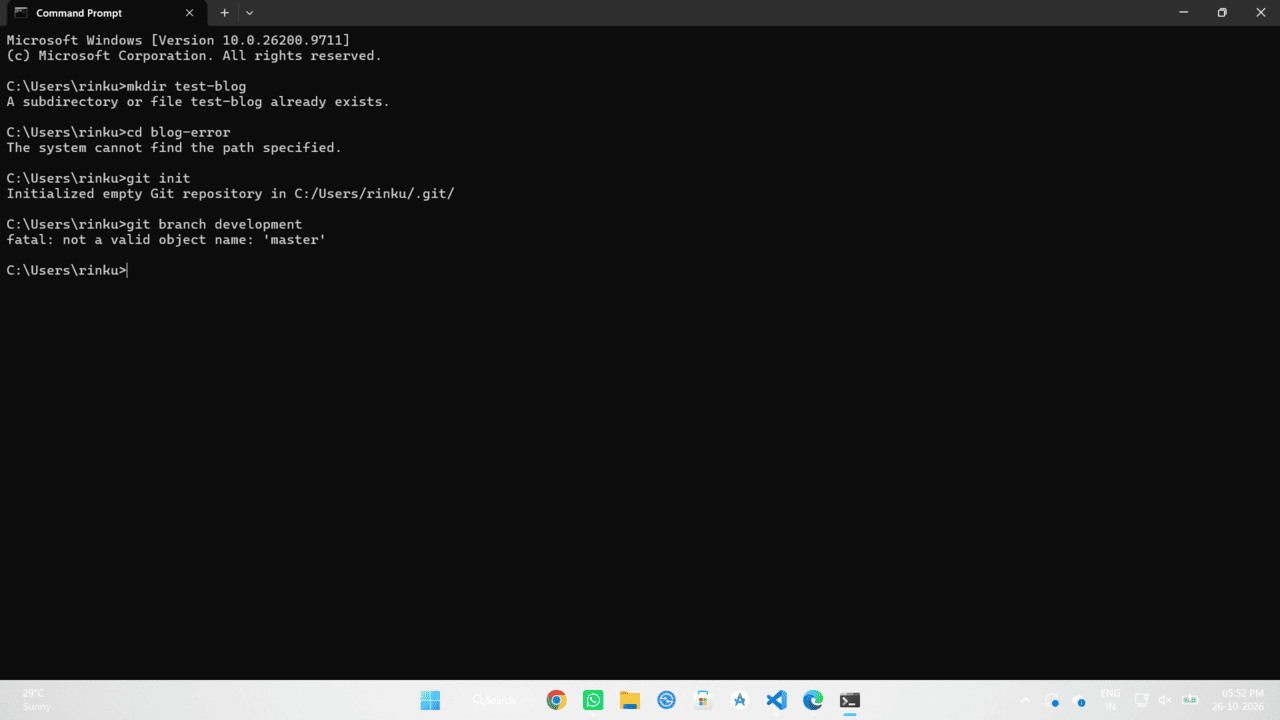
Why is Git rejecting the branch creation?
To fix this quickly, we need to understand what a "branch" actually is in Git. A branch is just a lightweight, movable pointer to a commit.
When you run git init, you create a completely empty repository. There are zero commits. Because there is no initial commit yet, there is no commit history for a branch pointer to point to. When you tell CMD to create a new branch, Git tries to look at your current default branch (which is usually master or main) to base the new branch on. It finds absolutely nothing, panics, and throws the "Not a valid object name" error.
The exact command-line fix
The solution is simple: you just need to give Git at least one commit to point at. Here are the exact commands I ran in my terminal to resolve it.
First, create a placeholder file. I usually just generate a quick README using the echo command.
Next, stage the file so Git starts tracking it.
Now, create that highly necessary first commit. This establishes the base pointer for the repository.
[master (root-commit) a1b2c3d] Initial commit to establish branch head
1 file changed, 1 insertion(+)
create mode 100644 README.md
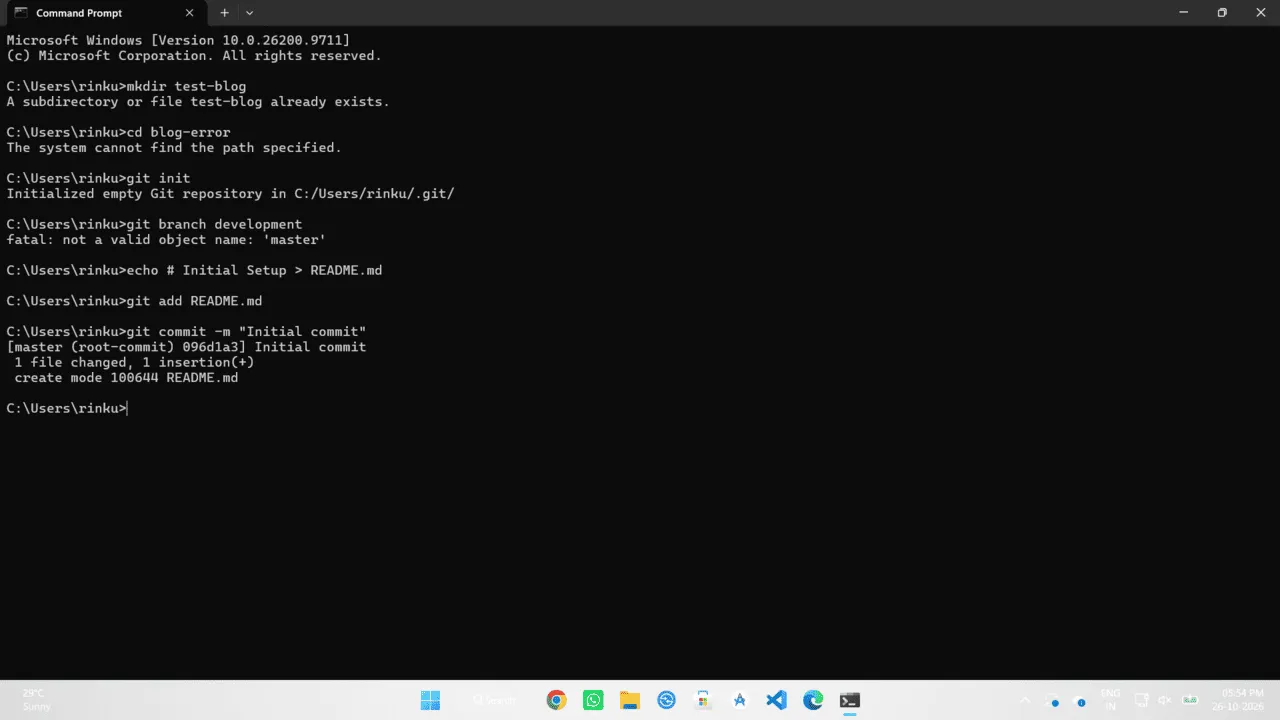
With the initial commit created, the repository now has a valid object. You can now run your branching command, and it will work flawlessly.
Switched to a new branch 'development'
What if you renamed your default branch?
Sometimes I see this error crop up when developers change their default global branch name from master to main but haven't synced their local Git config properly. If you already have commits but are still getting a variation of this error, check what branch Git thinks you are currently on.
If it says "On branch master" but you were trying to base your work on "main", you just need to switch over. You can force the branch rename locally like this:
Make sure you push this to your remote repository if you are linking up to GitHub or GitLab.