Fix Node.js ERR_OSSL_EVP_UNSUPPORTED error (OpenSSL 3.0) in npm builds
I just upgraded my local development machine to the latest Node.js release. I pulled down an older React project I haven't touched in a few months, ran npm install, and then typed npm start. Instead of my local server spinning up, the terminal threw a massive block of Node crypto errors right in my face.
If you're dealing with a broken Angular or React build right now, your CMD probably looks something like this:
Error: error:0308010C:digital envelope routines::unsupported at new Hash (node:internal/crypto/hash:69:19) at Object.createHash (node:crypto:133:10) at module.exports (C:\Projects\fastindl-app\node_modules\webpack\lib\util\createHash.js:135:53) ... Node.js v18.16.0
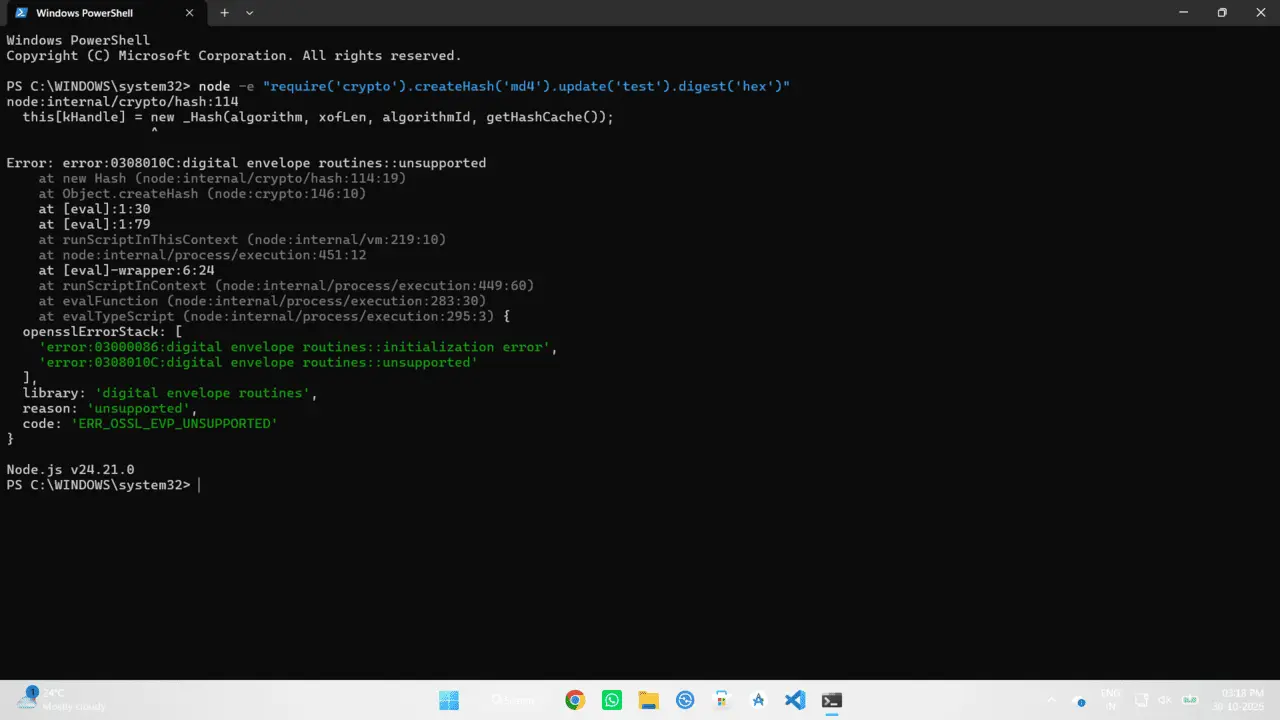
Why did the Node upgrade break your build?
The problem isn't actually your code. It's the underlying security engine. Starting with Node.js version 17, the Node team upgraded their internal cryptographic library to OpenSSL 3.0.
OpenSSL 3.0 is much stricter. It completely disables old, insecure hashing algorithms like MD4. The issue? Older versions of Webpack (specifically Webpack 4, which is baked into react-scripts versions prior to v5 and older Angular CLIs) use MD4 algorithms to generate file hashes for your build assets.
Node 18 asks OpenSSL 3.0 to do an MD4 hash, OpenSSL refuses, and Webpack crashes with the ERR_OSSL_EVP_UNSUPPORTED error.
The fastest fix: --openssl-legacy-provider
The quickest way to get your local server running again without having to rewrite your entire project's dependency tree is to tell Node to allow those older, legacy crypto algorithms.
We do this by passing a specific flag to the Node environment. Open your package.json file in your code editor and look for the "scripts" block.
If you are on Windows, modify your start and build scripts to look like this:
"start": "set NODE_OPTIONS=--openssl-legacy-provider && react-scripts start",
"build": "set NODE_OPTIONS=--openssl-legacy-provider && react-scripts build"
}
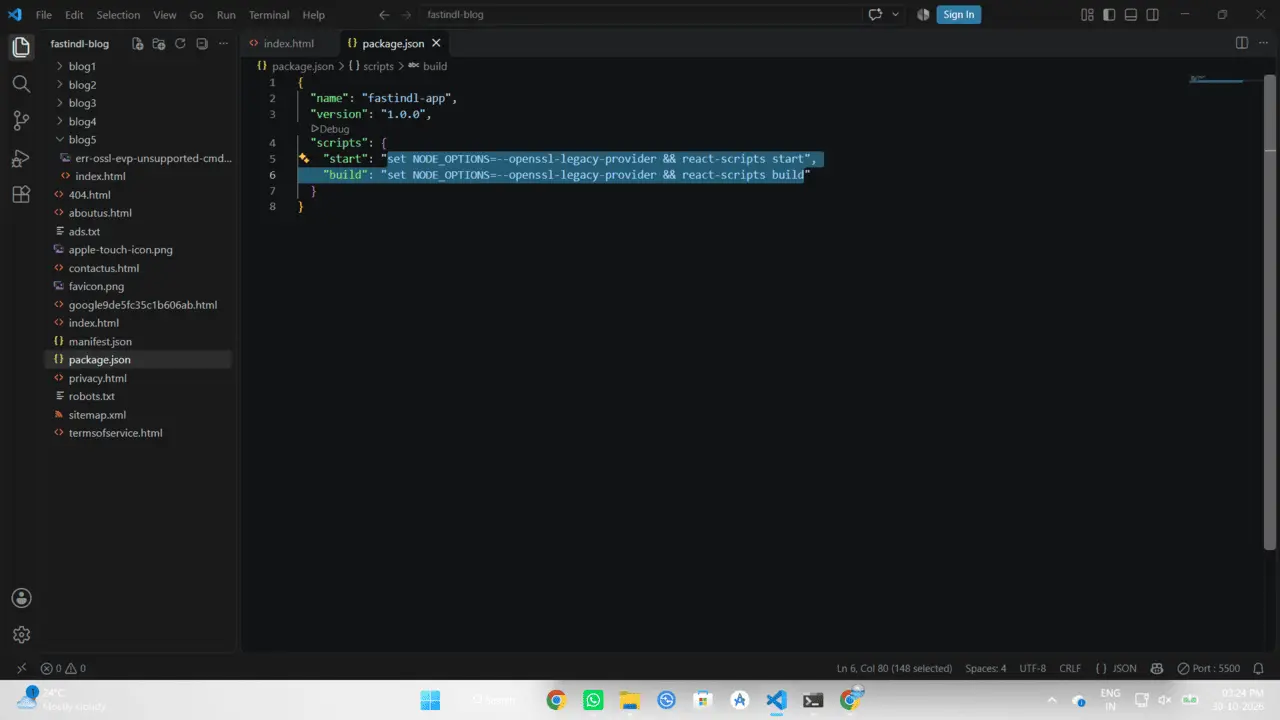
Save the file and run npm start again. It should compile perfectly.
Cross-Platform and Permanent Fixes
Using set works perfectly on Windows CMD, but it breaks if your team members are using Mac or Linux (they use export instead). Here is a quick breakdown of how to handle different environments so your repo doesn't break for others.
| The Scenario | The Best Solution |
|---|---|
| Cross-Platform Teams (Mac + Windows) | Install cross-env (npm i cross-env --save-dev) and change your script to: "start": "cross-env NODE_OPTIONS=--openssl-legacy-provider react-scripts start" |
| The Permanent Fix (React) | Update React Scripts to v5. Open terminal and run: npm install react-scripts@latest. Webpack 5 doesn't use MD4. |
| You can't edit package.json | Downgrade Node.js. Use NVM (Node Version Manager) and run nvm install 16 and nvm use 16. Node 16 uses the old OpenSSL. |
I usually lean towards the cross-env trick if I'm just doing maintenance on a legacy project. But if this is a project you actively develop, take the time to upgrade Webpack/React-Scripts so you don't have to keep dodging OpenSSL restrictions.