Fix Git submodule “fatal: reference is not a tree” error via CMD
I was pulling a shared repository this morning that relies heavily on custom UI components stored in a separate Git submodule. I ran a standard git pull on the main project, which worked fine. But the moment I typed git submodule update to sync the UI components, my terminal froze and threw a hard red error.
If you use submodules in a team environment, you have probably stared at this exact CMD output:
fatal: reference is not a tree: a1b2c3d4e5f6g7h8i9j0k1l2m3n4o5p6q7r8s9t0 Unable to checkout 'a1b2c3d4e5f6g7h8i9j0k1l2m3n4o5p6q7r8s9t0' in submodule path 'ui-library'
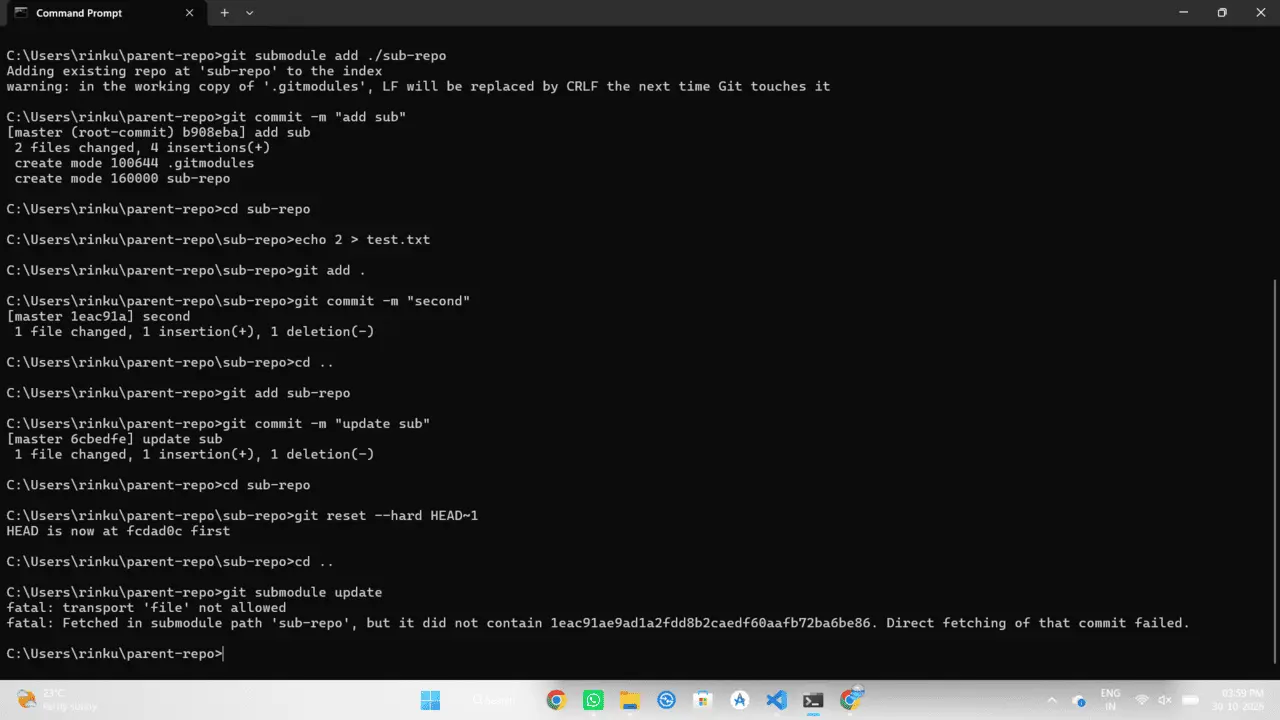
Why is this happening?
Git submodules are essentially sticky notes inside your main repository. Your parent repo doesn't store the actual files of the submodule; it just stores a specific commit hash (like a1b2c3d4...) indicating exactly which version of the child repo to load.
The "reference is not a tree" error means your parent repo is asking for a commit hash that does not exist on the remote GitHub/GitLab server for that submodule. This almost always happens because a teammate committed a change inside the submodule folder, pushed the parent repo, but forgot to push the submodule itself. Or, someone did a hard reset on the submodule and rewrote the git history, destroying that old commit.
Step-by-step fix in CMD
To fix this, we need to force the parent repository to point to a valid, existing commit in the submodule. Here is exactly what I type in my terminal to resolve it.
First, navigate directly into the broken submodule directory:
Next, fetch all the latest remote branches and commits to make sure we aren't just dealing with an outdated local cache:
Now, we checkout a stable branch that we know actually exists on the remote server. Usually, this is main or master, or whatever specific feature branch you need.
> git pull origin main
Already up to date.
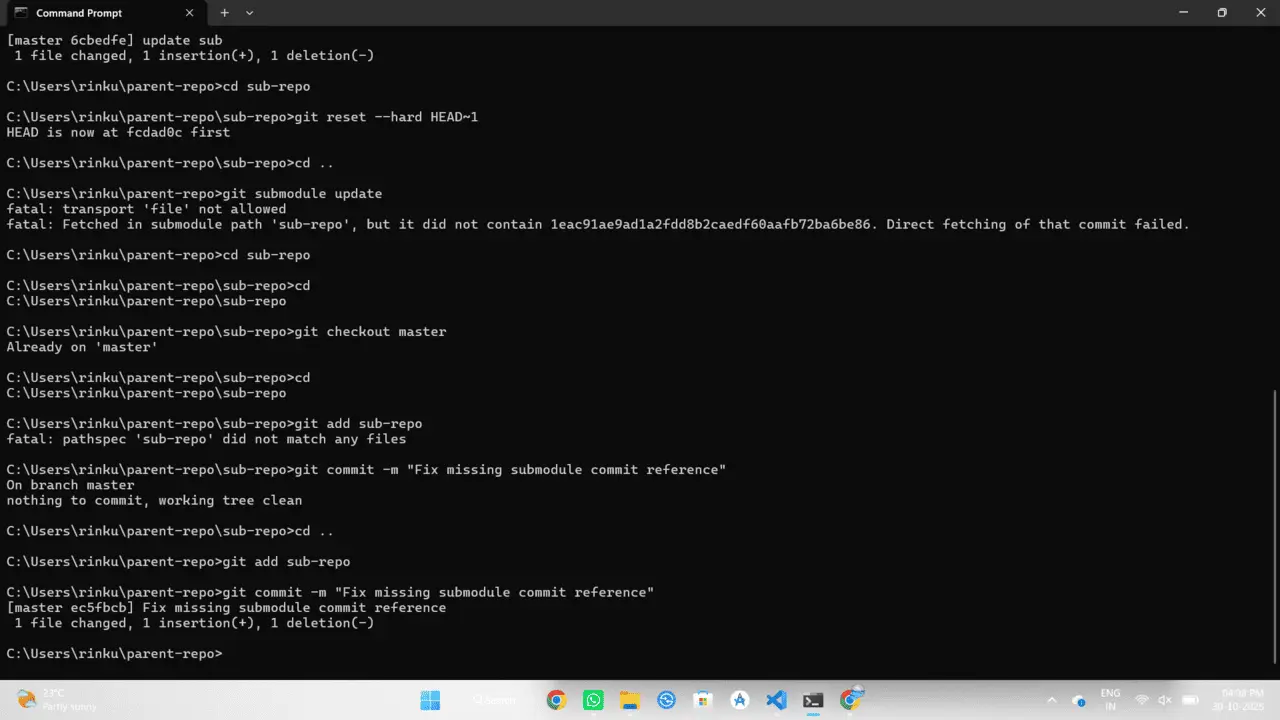
At this point, the submodule is healthy on your local machine. But your parent repo still thinks it should be looking for that broken phantom commit. We need to update the parent repo's sticky note.
Go back up one level to your main project directory, add the submodule folder, and commit the fix:
> git add ui-library
> git commit -m "Fix missing submodule commit reference"
> git push origin main
Submodule Troubleshooting Matrix
Sometimes the error hides behind a slightly different edge case. If checking out main didn't solve your specific workflow, check this matrix.
| The Scenario | The Quick Fix |
|---|---|
| The commit exists on another remote or fork. | Run git fetch origin <commit-hash> directly inside the submodule before updating. |
| You want to completely wipe and reset all submodules. | Run git submodule deinit -f . followed by git submodule update --init --recursive. This forcefully downloads fresh copies. |
| The teammate who caused the error is still online. | Tell them to go into their local submodule folder and run git push origin HEAD. Once they push the missing commit, your git pull will work instantly. |
Submodules are powerful, but they require a strict sequence when pushing code: always commit and push the submodule before you commit and push the parent repo. If you stick to that rule, you'll never see this error again.